Data Warehouse
The Data Warehouse integration is in active development as part of Experiments v2. Naming, scope, and behaviour may change before general availability.
Overview
Stream Flagsmith flag-evaluation and custom-event data into Snowflake, BigQuery, or Databricks. Once connected, Flagsmith writes every evaluation and event to your warehouse, where your team can query it, join it with existing business data, and use it to compute experiment metrics.
This integration is required to run Experiments: Flagsmith reads from the warehouse to compute metric values per variation. It's also useful on its own as a durable store of flag-evaluation history.
The connection is organisation-scoped — one connection per organisation, inherited by every project.
Setup
Open Organisation Integrations
Screenshot placeholder — Organisation Integrations page with the Data Warehouse card highlighted. Target path:
/img/integrations/data-warehouse/integrations-list.png
In the organisation nav, open Organisation Integrations, find the Data Warehouse card, and click Add Integration.
Choose a warehouse
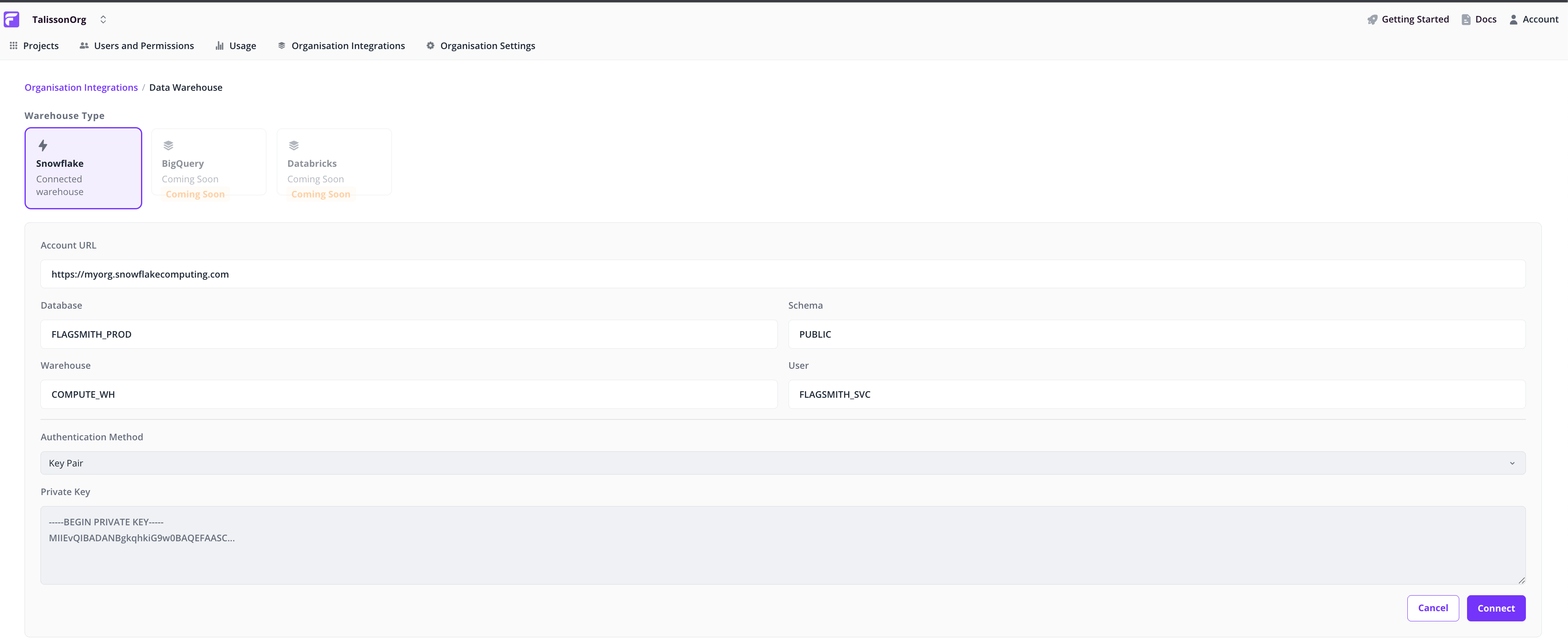
Pick your provider (Snowflake, BigQuery, or Databricks) and fill in the connection details: account URL, database, schema, warehouse, user, and authentication method.
Connect
Click Connect to save the configuration. Flagsmith validates the credentials and starts streaming flag-evaluation and custom-event data once authenticated.
Note: If authentication fails, the page shows the error with enough detail to fix it. Correct the credentials and try again.
Verify data is flowing
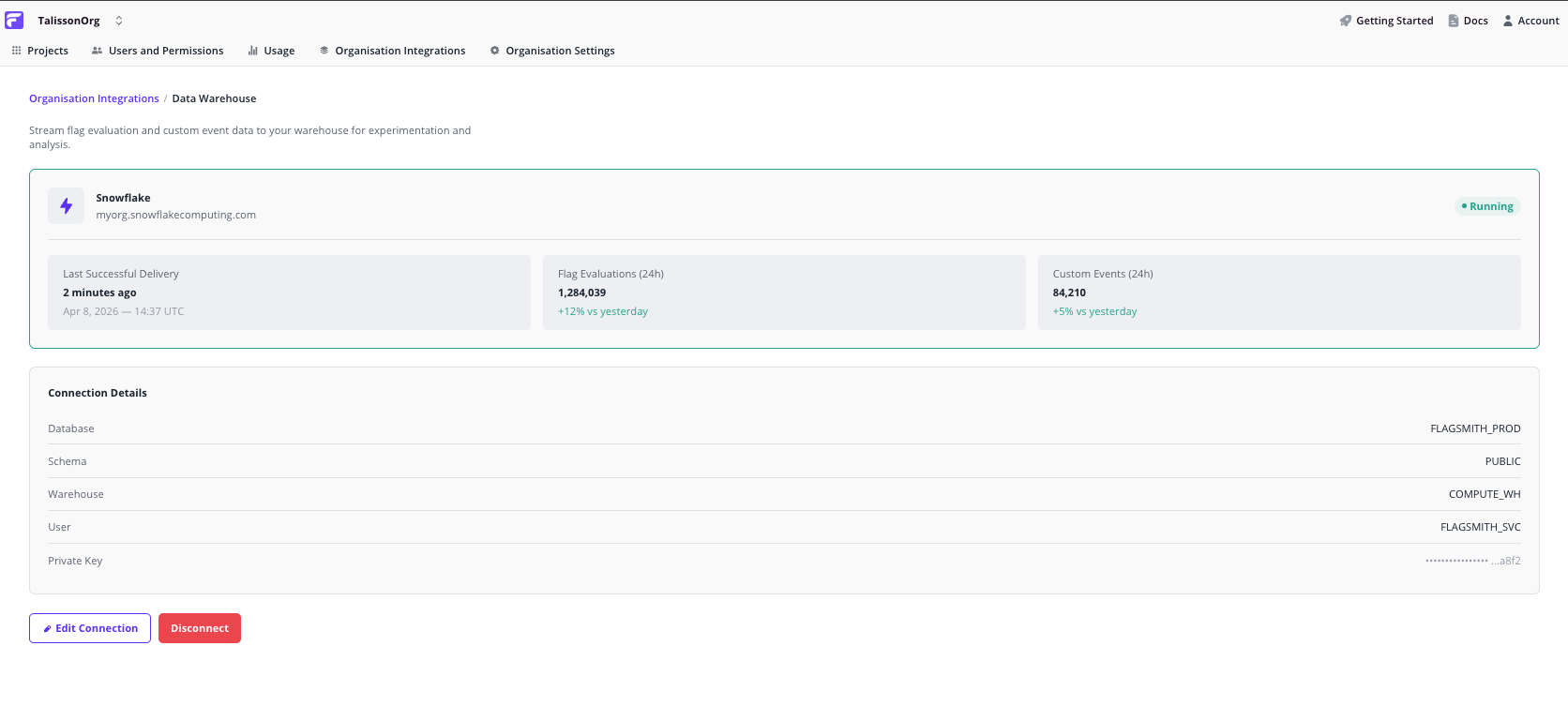
The connected warehouse page shows:
- 24-hour flag evaluation count. Confirms Flagsmith is writing to your warehouse.
- 24-hour custom event count. Confirms your app is writing events Flagsmith can read for metric computation.
- Connection details. Read-only summary of what's configured, with Edit and Disconnect controls.
Managing the connection
- Edit. Opens the configuration form with existing values prefilled. Save to revalidate the credentials.
- Disconnect. Stops streaming and clears the configuration. Historical data already in your warehouse is unaffected.
How it works
Flagsmith writes to the warehouse asynchronously, so flag-evaluation latency in your app is unchanged. Evaluations queue and flush in background workers; expect ingestion lag in minutes, not seconds.
- Every call to
Get Identity Flagswrites one evaluation record per flag. - Custom events from the SDK's analytics endpoint are written to a sibling table in the same warehouse.
- Table schemas are managed by Flagsmith. You don't need to create or migrate tables yourself.
What's next
- Experiments. Run A/B tests on top of the data you're streaming.
- Other analytics integrations. Stream to a SaaS platform alongside or instead of your warehouse.